Fields
Who references it and what it references, followed down the chain. Every screen, view model, document and integration that carries it. What it controls. Fields that share its full path, and which one wins. Each rule stage in order.
For Duck Creek Author · Windows
AssistIQ runs beside Author on your machine. Click a field, a table, a document set or a view model in Author, and a panel shows everything Author scatters across tabs, trees and dialogs, in one place, as you go.
Early access · free · runs locally · reads only
Vehicle.Premium
policy/vehicle/premium

01
Author is where you change a manuscript. AssistIQ doesn't replace any of it. It shows what Author hides, or spreads across a dozen places, so you can see what a change will touch before you make it.
Who references it and what it references, followed down the chain. Every screen, view model, document and integration that carries it. What it controls. Fields that share its full path, and which one wins. Each rule stage in order.
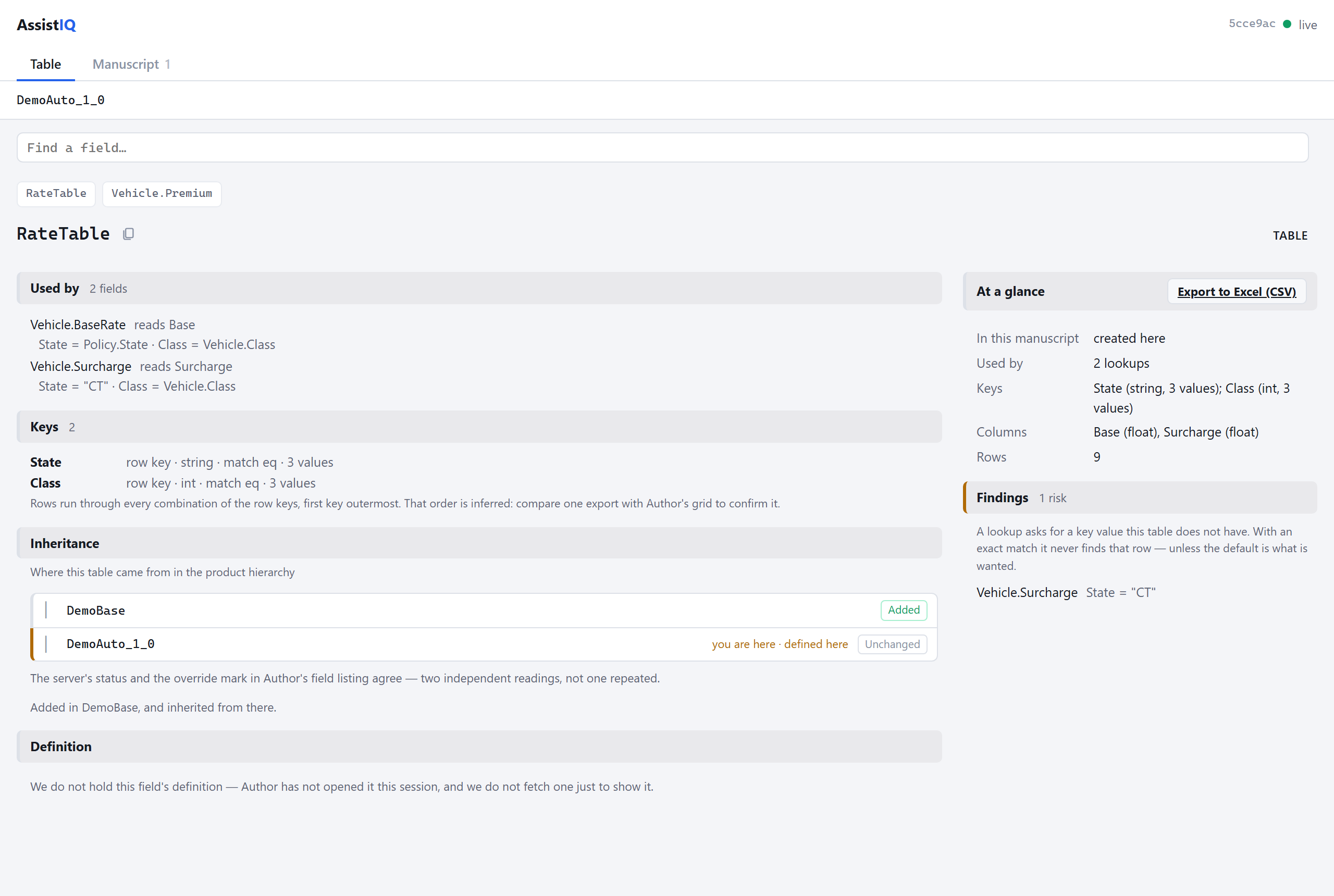
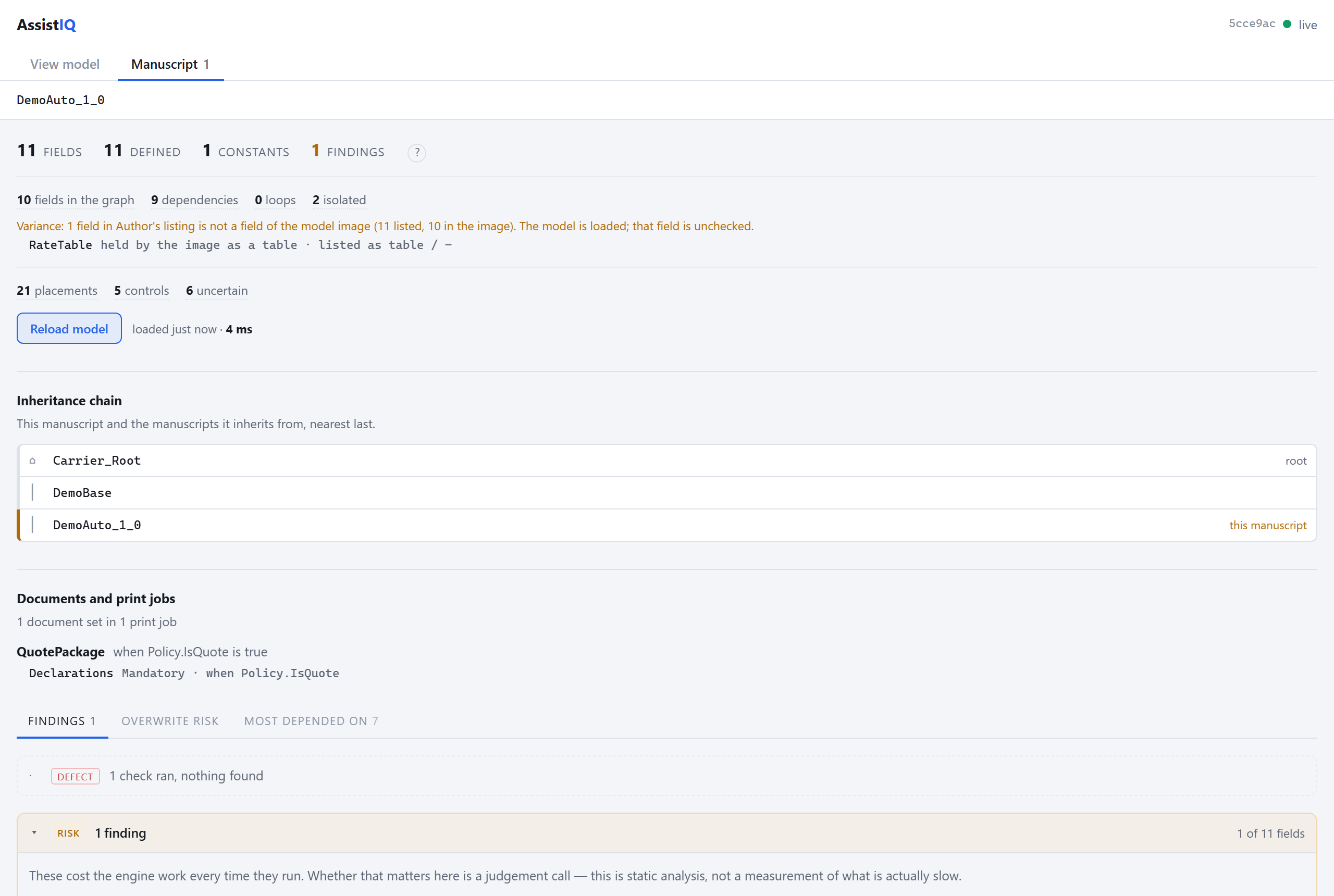
The layer that added an item, and a line-by-line comparison of what each layer changed, from there down to your manuscript. That includes print jobs and view models, where Author offers no lineage view.
Every field that looks the table up, and with which keys. Lookups on a key the table doesn't have are flagged. One click exports the rows to Excel, labelled by key.
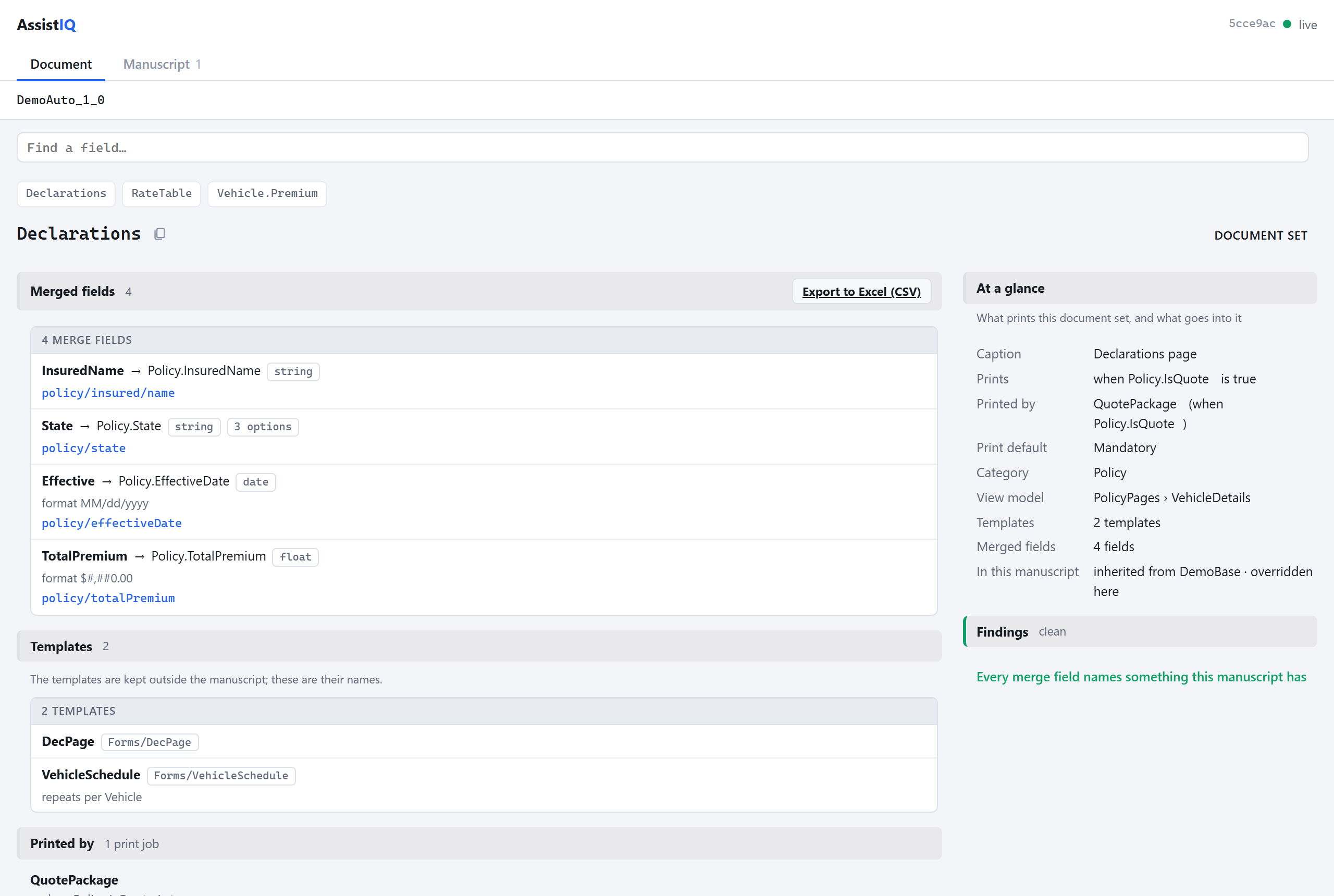
What prints a document set and when, its templates, and every merged field with its type, option list and full path. References to fields that don't exist are flagged. Exports to Excel.
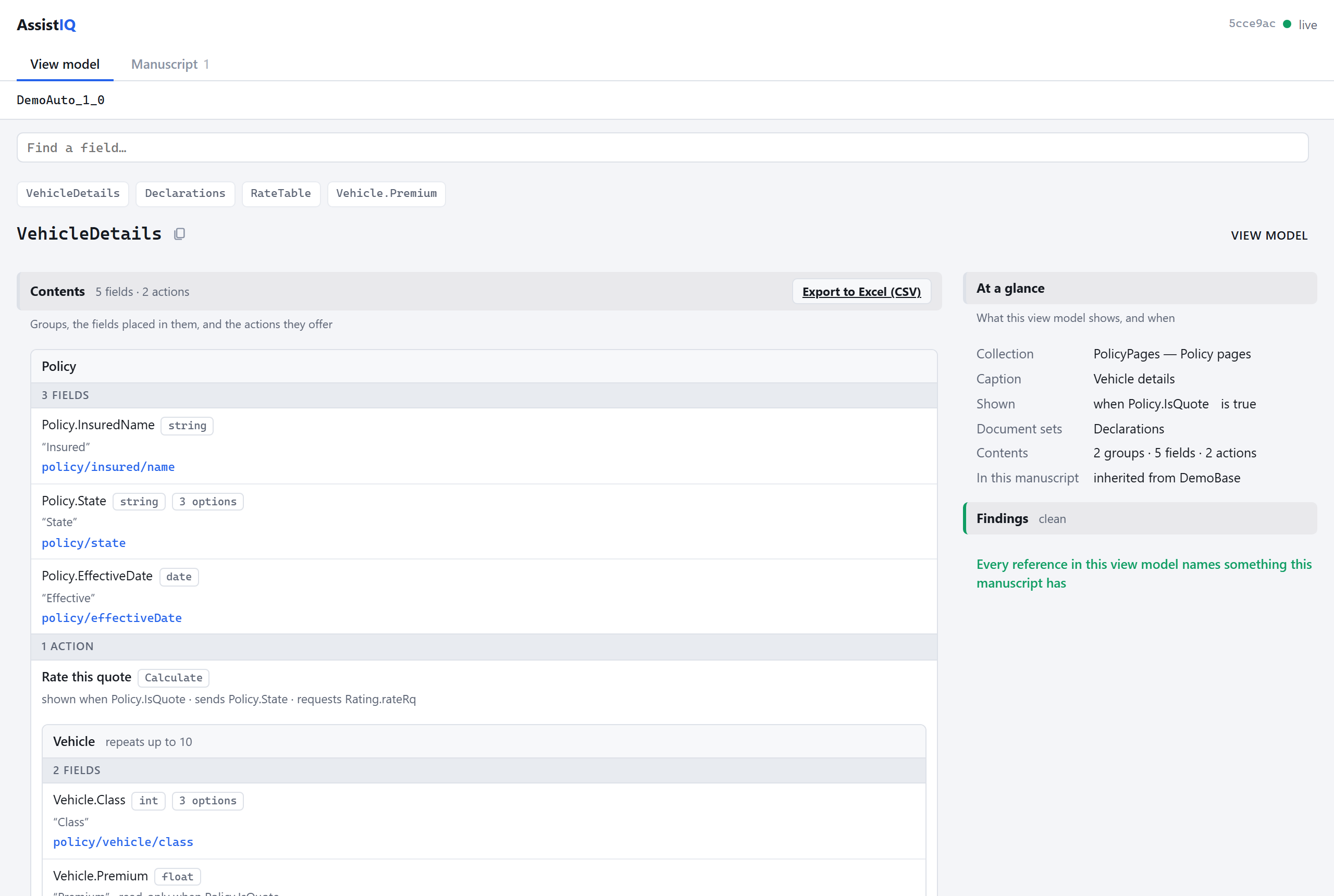
The whole tree at once: each group, the fields placed in it with the fields that show, hide or lock them, and the actions it offers. References to nothing are flagged. Exports to Excel with types and option lists.
Defects, risks and inconsistencies, each in plain words. Every card also says which checks ran, so "nothing found" is never mistaken for "nothing was looked at".
02
Written for whoever has to approve it. AssistIQ is a small local proxy: you point Author at it, and it forwards every request to your Server unchanged.
ProbeEnabled=false makes AssistIQ purely passive. It then only reads what Author already exchanges.03
You need Windows, an Author that already works against a Server, and two free local ports.
Unzip it. In appsettings.json, set TargetBaseUrl to the start of your Server URL: scheme, host and port only.
your Server URL   http://someserver:8080/duckcreek/dctserver.aspx
TargetBaseUrl http://someserver:8080Run assistiq.exe, then open the panel in any browser.
http://localhost:8098/assistiq/In Author's login dialog, swap the host for localhost:8099 and keep the rest of the path. Log in, open a manuscript, and click around.
http://localhost:8099/duckcreek/dctserver.aspx04
Early access, free for now. The zip contains the program, its settings file and the full running guide.
AssistIQ for Windows
Download the zipNot code-signed yet, so Windows may warn you about it. Right-click the zip, choose Properties, tick Unblock, then extract it.